
From ace to tenat Lucky Boom
MAIREKE LIMITADA runs Lucky Boom Casino with an Anjouan licence. This page deals one card per stage, from the first click to the first withdrawal, and every card shows the bonuses, limits and rates that matter at that point. Your wallet at the edge of the screen counts what you have won so far. Read the terms before you play.
Lucky Boom in a nutshell
Lucky Boom Casino in a handful of cards: the figures you need, face up.
Games
6,500+ titles from 61 providers
Welcome package
Opening hand: up to €6,000 + 300 free spins across 5 deposits
Minimum deposit
€20 (€40 for the 5th bonus deposit)
Minimum withdrawal
€40
Withdrawal review
Within 2 business days
Limits (non-jackpot)
Table limit: €20,000 a week and €50,000 a month; jackpot wins sit outside it
Support
24/7 live chat · support@luckyboom.org
Lucky Boom in a nutshell
| Item | Details |
|---|---|
| Casino | Lucky Boom Casino |
| Operator | MAIREKE LIMITADA (Costa Rica) |
| Founded | 2021 |
| Licence | Anjouan Offshore Financial Authority |
| Games | 6,500+ titles from 61 providers |
| Welcome package | Opening hand: up to €6,000 + 300 free spins across 5 deposits |
| Minimum deposit | €20 (€40 for the 5th bonus deposit) |
| Minimum withdrawal | €40 |
| Withdrawal review | Within 2 business days |
| Limits (non-jackpot) | Table limit: €20,000 a week and €50,000 a month; jackpot wins sit outside it |
| Support | 24/7 live chat · support@luckyboom.org |
| Mobile | PWA – install straight from the browser |
| Live studios | 15 live-casino providers |
| Lobby categories | 14 game suits, from Popular Slots to Scratch cards and Lucky Boom Specials |
| Sportsbook | BetTech betting: football, basketball, tennis and esports |
| Top rakeback | Loyalty up to 7% on the VIP ladder; at Legend 5, 15% rakeback and 20% cashback stack |
| Payout speed | Reviewed within 2 business days |
| Policies | The small print, filed: Terms, Bonus, Privacy, Payment, AML/KYC, Cookies |
Get your seat
One seat per person. Seven brief steps, and the bonus you want is turned on in your profile ahead of the first deposit.
How to register in seven steps
A single seat per person. Several accounts under one name, device or payment method are shut down without notice.
Show your papers
The ID check has to be passed before the first withdrawal, so getting it done early saves waiting at the end. This is what to have in hand.
A government photo ID (both sides where it has two), a selfie in which you hold that document, and a bank statement or utility bill no older than three months. The name must be the same on every document. Lost your password? The reset link goes to your registered email, which is also the address needed for self-exclusion or closing the account.
AML
Cards and e-wallets carry the cashier, crypto is fully supported, and fiat and crypto balances are tracked apart. Money must be wagered at least three times before it can leave (an AML rule).
- Every withdrawal needs full KYC: a government photo ID, a selfie with that ID and a recent bank statement or utility bill. The account name has to match the payment method.
- Money going in has to come from a payment instrument registered in your name.
Place the opening stake
The smallest deposit is €20. Choose a method, read its limits, then take the first of five welcome bonuses.
Ways to pay in
When the opening free spins land
Rules for the five bonuses
| Deposit | Bonus | Free spins | Min. deposit | Wagering |
|---|---|---|---|---|
| 1st | 100% up to €500 | 100 FS on Disco Party (BGaming) | €20 | ×40 |
| 2nd | 80% up to €1,500 | 75 FS on Blazing Rhino / Elvis Frog in Vegas | €20 | ×40 |
| 3rd | 70% up to €2,000 | – | €20 | ×40 |
| 4th | 60% up to €1,000 | 50 FS on Majestic Wild Cash x9990 | €20 | ×40 |
| 5th | 40% up to €1,000 | 75 FS on Bonanza Billion | €40 | ×40 |
- Free spins from the first deposit arrive in two daily batches of 50. On deposit five you collect 25 on the first day and 50 on the second.
- Betting ceiling during wagering: €5 per spin or round, and just €1 on the first deposit bonus.
- How games count towards wagering: slots 100%, live casino 10%, table games and video poker 0%.
- Bonus winnings are capped at €10,000 across all bonus types, and the most you can cash out after wagering is ten times the original bonus.
- Ask for a withdrawal while a bonus is running and the bonus, with every bonus euro attached to it, is cancelled. Play it through first.
- Regional pages of the site may show another package (375% up to €4,000 + 650 FS, for instance), so trust the offer shown inside your own account.
Choose your suit
More than 6,500 games from 61 studios, each with a free demo. Slide the rows sideways and tap a tile to start.
Slots, live dealer tables, crash and instant games, table classics, jackpots and bonus-buy titles are all in the stack, and each one has a free demo next to its real-money mode.
 Avia MastersBGaming
 Wild Cash x9990BGaming
 Snoop Dogg DollarsBGaming
 Sweet BonanzaPragmatic Play
 Book of Panda MegawaysBGaming
 3 Lucky MonkeysBGaming
 PingWin FlyBelatra
 Jackpot MinesBelatra
 PlinkoBGaming
 Money TimeGame show
 Grand Bonus BlackjackICONIC21
 Bar Roulette 2000xWinfinity
 Speed RouletteLive
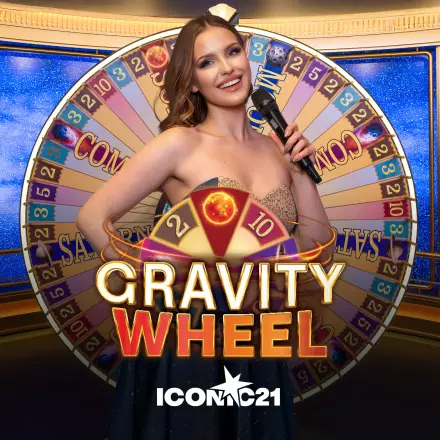 Gravity WheelLive
 European RouletteLive
 Casino Hold'emCreedroomz
A few live tables are closed in certain regions; the lobby flags any title that cannot be opened from where you are connecting.









Among the 61 studios: Pragmatic Play, Hacksaw Gaming, Nolimit City, Big Time Gaming, BGaming, Yggdrasil, Thunderkick, Relax Gaming, Peter & Sons, AvatarUX and many others.
Live play is sorted into six tabs (Popular, Live Show, Blackjack, Roulette, Baccarat and Dice) with dealers from Pragmatic Play, BGaming, Evoplay, Pateplay, Lucky Streak, Winfinity, AE Sexy, Creedroomz, ICONIC21, Platipus and Absolute Live Gaming.
Raise, and unlock more
Deposits two to five release the rest of the €6,000 and the remaining 300 free spins. Weekly offers and prize pools run beside them.
Count your five deposits
For illustration only. Minimum deposit €20 (€40 for the fifth), wagering ×40, top bet while wagering €5 (€1 on the first bonus).
Week by week
Bonus cards
Prize pots
DropsLucky Boom Drops€600,000
TournamentSpinoleague€12,000,000
DropsBGaming Million Drops€1,000,000
Missions, races, a Wheel of Fortune and a promo-code box surround the big prize drops.
Wild card: sports
BetTech handles football, basketball, tennis and esports, before the match and in play, with FreeBets. Sport bonuses want odds of at least 1.6.
Today's fixtures
| Bonus | Offer |
|---|---|
| 1st sport bonus | 100% up to €200 (×10) |
| 2nd sport bonus | 100% up to €300 (×10) |
| 3rd sport bonus | 50% up to €500 (×10) |
| 4th sport bonus | 125% up to €1,000 + 75 FS |
| Comboboost | Up to 100% extra profit |
Markets run from 1X2 and double chance to totals and handicaps. You can place singles, combos and systems, all in European decimal odds.
Take the rake back
After each session part of your stake returns as real money without wagering. Work out your share, then set it against cashback.
Your share
Only a ballpark: your actual rate follows your level and the house edge of each game.
Worked example
Total wagered€10,000
House edge10%
Net loss€1,000
Rakeback returned≈ €100 in cash
A separate cashback of up to 15% is paid out as cash.
Rakeback against cashback
| Rakeback | Cashback | |
|---|---|---|
| Paid | After every session | Through the VIP programme |
| Wagering | None | None |
| Expiry | None | None |
| Based on | Your wager and house edge | VIP level |
| Rate | Up to 7% on the ladder | Up to 15% on the ladder |
Rise to the top rank
Wagering volume moves your level up. Higher tiers add a personal manager, bigger limits, exclusive weekly bonuses and private channels.
Wagering volume moves you up. The five tiers are Explorer, Expert, Master, Elite and Legend, and the higher ones add a personal VIP manager, bigger withdrawal limits, exclusive weekly bonuses and private WhatsApp / Telegram channels.
Explorer
Entry tier · rakeback starts immediately
| # | Rakeback · Cashback | ★ |
|---|---|---|
| 1 | 1% · 1% | – |
| 2 | 1% · 1% | 10 FS |
| 3 | 1% · 1% | 15 FS |
| 4 | 1% · 1% | 20 FS |
| 5 | 1% · 1% | 30 FS |
Expert
Growing cashback · Wheel of Fortune access
| # | Rakeback · Cashback | ★ |
|---|---|---|
| 1 | 2% · 2% | 50 FS |
| 2 | 2% · 2% | 50 FS |
| 3 | 2% · 2% | 75 FS |
| 4 | 2% · 2% | 75 FS |
| 5 | 2% · 2% | 100 FS |
| 6 | 2% · 3% | 125 FS |
| 7 | 2% · 3% | 125 FS |
| 8 | 2% · 3% | 150 FS |
| 9 | 2% · 3% | 175 FS |
| 10 | 2% · 3% | 200 FS |
☎ 24/7 VIP support from Glow 1
Master
€1,485 in bonus funds · cashback up to 11% · 20 wheel spins
| # | Rakeback · Cashback | ★ |
|---|---|---|
| 1 | 3% · 4% | €500 |
| 2 | 3% · 4% | – |
| 3 | 3% · 4% | – |
| 4 | 3% · 5% | – |
| 5 | 3% · 5% | – |
| 6 | 3% · 5% | – |
| 7 | 3% · 5% | – |
| 8 | 3% · 6% | – |
| 9 | 3% · 6% | – |
| 10 | 3% · 6% | – |
☎ 24/7 VIP support from Glow 1
Elite
Personal manager · bigger limits · VIP channels
| # | Rakeback · Cashback | ★ |
|---|---|---|
| 1 | 4% · 7% | €3,500 |
| 2 | 4% · 7% | – |
| 3 | 4% · 7% | – |
| 4 | 4% · 7% | – |
| 5 | 4% · 8% | – |
| 6 | 4% · 8% | – |
| 7 | 4% · 8% | – |
| 8 | 4% · 9% | – |
| 9 | 4% · 9% | – |
| 10 | 4% · 9% | – |
★ Personal VIP account manager
Legend
€41,500 in bonus funds · cashback up to 20% · 28 wheel spins
| # | Rakeback · Cashback | ★ |
|---|---|---|
| 1 | 5% · 10% | €10,000 |
| 2 | 5% · 10% | – |
| 3 | 5% · 12% | – |
| 4 | 6% · 12% | – |
| 5 | 6% · 13% | – |
| 6 | 6% · 13% | – |
| 7 | 6% · 14% | – |
| 8 | 7% · 14% | – |
| 9 | 7% · 15% | – |
| 10 | 7% · 15% | €16,000 |
★ Personal VIP account manager
Shortcut
Instant VIP
Pay in €2,500 inside 7 days, or €5,000 inside 30, and a personal VIP manager is assigned that same day, together with VIP WhatsApp and Telegram channels and higher withdrawal limits. The international site quotes a €500 deposit instead. The status holds for as long as your deposits continue, and nothing is reset.
VIP status match
VIP somewhere else already? Show live chat or support@luckyboom.org a screenshot of your status and Lucky Boom will match it, with a little extra, so you need not rebuild your history.
Collect the pot
Requests are checked within two business days, then the method sets its own timing. Fiat and crypto stay in separate pockets, and a deposit has to be wagered three times first.
Ways to be paid
| Method | Min. | Weekly cap | Approval |
|---|---|---|---|
| Visa / Mastercard | €40 | €20,000 | Within 2 business days |
| E-wallets | €40 | €20,000 | Within 2 business days |
| Bank transfer | €40 | €20,000 | Within 2 business days |
| Crypto | €40 equiv. | €20,000 equiv. | After blockchain confirmations |
House rules at the cashier
Ask the dealer
The chat never closes, email takes account questions and VIP players get private channels. Short answers sit below.
Reach the table
Short answers
Is there a wagering condition on rakeback?
None. It is paid onto your real balance after a session, does not expire and may be taken out immediately.
What has to happen before I can first cash out?
Finish KYC: a photo ID, a selfie in which you hold it and a proof of address that is recent.
What happens to a bonus if I withdraw during it?
It is cancelled along with its balance, so complete the wagering before asking for money.
Is it possible to test games before paying in?
Yes, all of them have a free demo apart from the live tables.
What is the ceiling on withdrawals?
For non-jackpot wins it is €20,000 weekly and €50,000 monthly; jackpots have no cap.
What is the wait for a payout?
Review takes up to two business days, then the chosen method sets the pace. Nothing below €40 can be requested.
Which games feed the wagering?
Slots in full, live casino at 10%, table games and video poker not at all.
Where do I get the app?
Open the site in Safari on iOS or Chrome on Android and add it to the home screen; no store is needed.
Who answers my questions?
Live chat at any hour, or email support@luckyboom.org from your registered address.
Lucky Boom is operated by MAIREKE LIMITADA (Costa Rica) with an Anjouan Offshore Financial Authority licence. This is an offshore licence rather than a national one, so confirm that online gambling is legal in your country before playing.
Support: gamblersanonymous.org · gamblingtherapy.org · gamcare.org.uk
The numbers
Put it on your phone
Lucky Boom works as a web app, and the browser puts it on your home screen.
- Load the site in Safari, and not in a private tab.
- Hit the Share icon, or the three-dot menu of the browser.
- Pick “View More”, or scroll until “Add to Home Screen” appears.
- Select “Add to Home Screen” and finish with “Add” in the top-right corner.
- Open the site in Chrome.
- Accept the install banner when it shows up, or open the three-dot menu.
- Choose “Add to Home Screen” and confirm.
What you gain
There is no native app; Lucky Boom is a progressive web app. You put it on the home screen from your browser and get the whole lobby, live casino, sportsbook and cashier.
The deal is open
Up to €6,000 and 300 free spins across the first five deposits. Turn the bonus on in your profile before you put money in.
Join the table18+ Gambling can become addictive. Please play responsibly. begambleaware.org
Affiliate note: we may receive a commission if you register through our links, which does not alter what we write. Bonus terms can change, so always confirm the current terms with the casino. Details current as of August 2026.
© 2026 Lucky Boom Casino · MAIREKE LIMITADA